Pastor or rector
Draft or revise the pastoral message and confirm the worship details assigned by the office.
One workspace for the whole bulletin week
Choose a complete page, click any word or picture, and publish the same reviewed issue for print and phones. The editor below is the real workspace, with a fictional parish example.
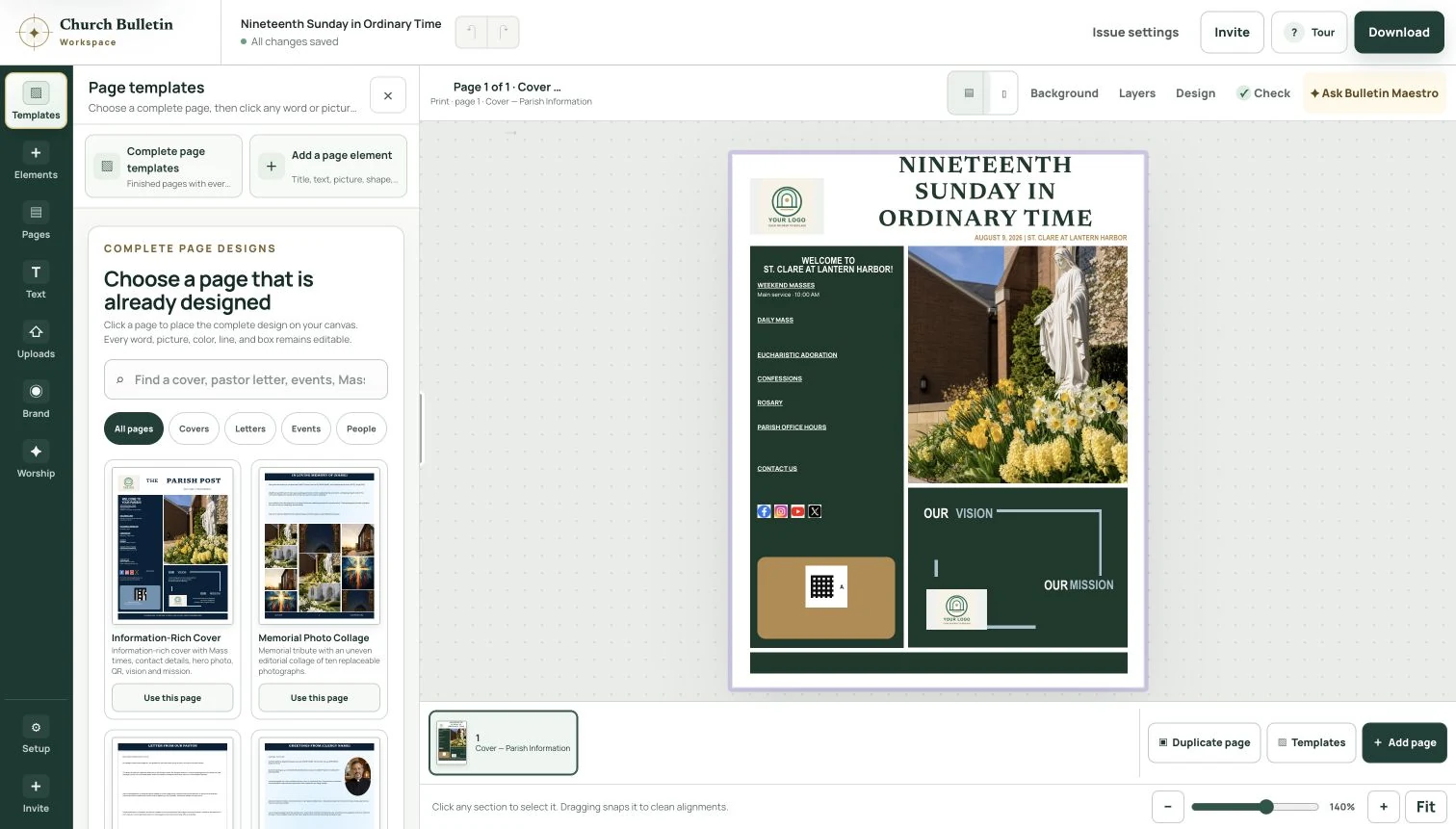
From first page to finished issue
Start from a complete cover, then add finished inside pages or your own text, pictures and sections. Open the editor and try the page templates drawer; no payment is needed.
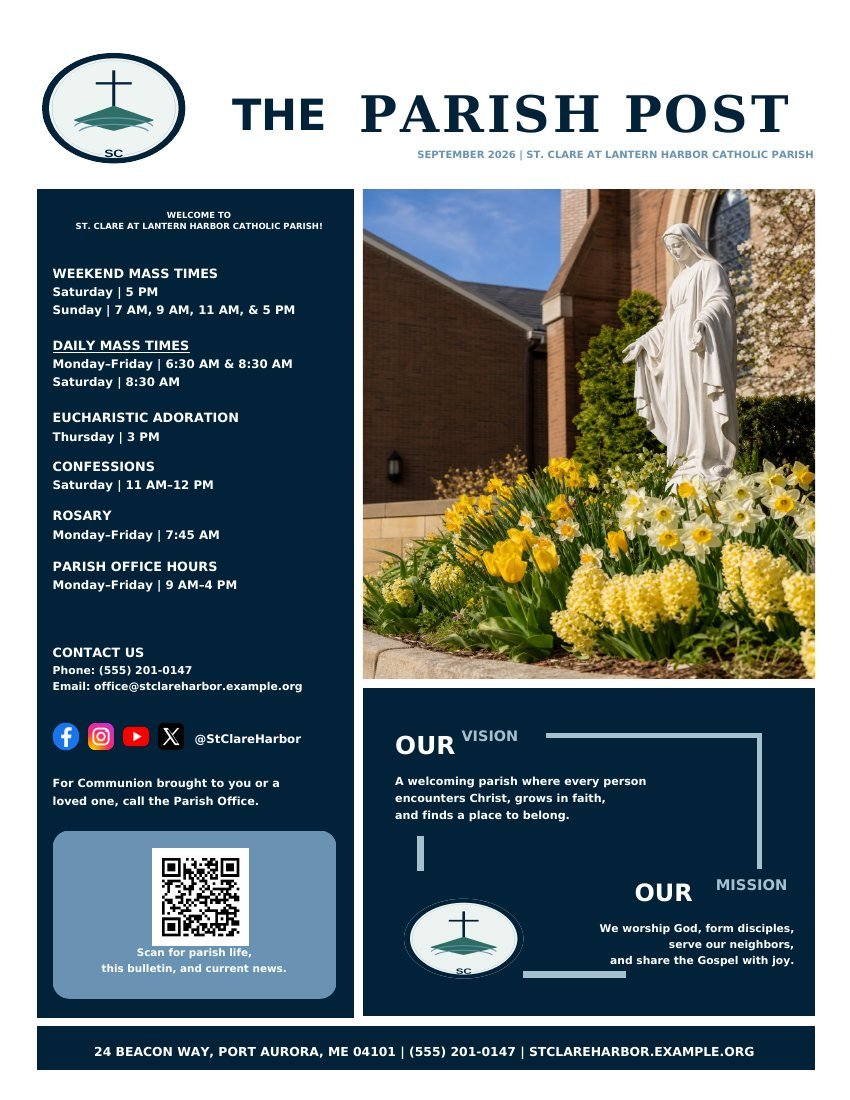 Explore the six-page finished issue →
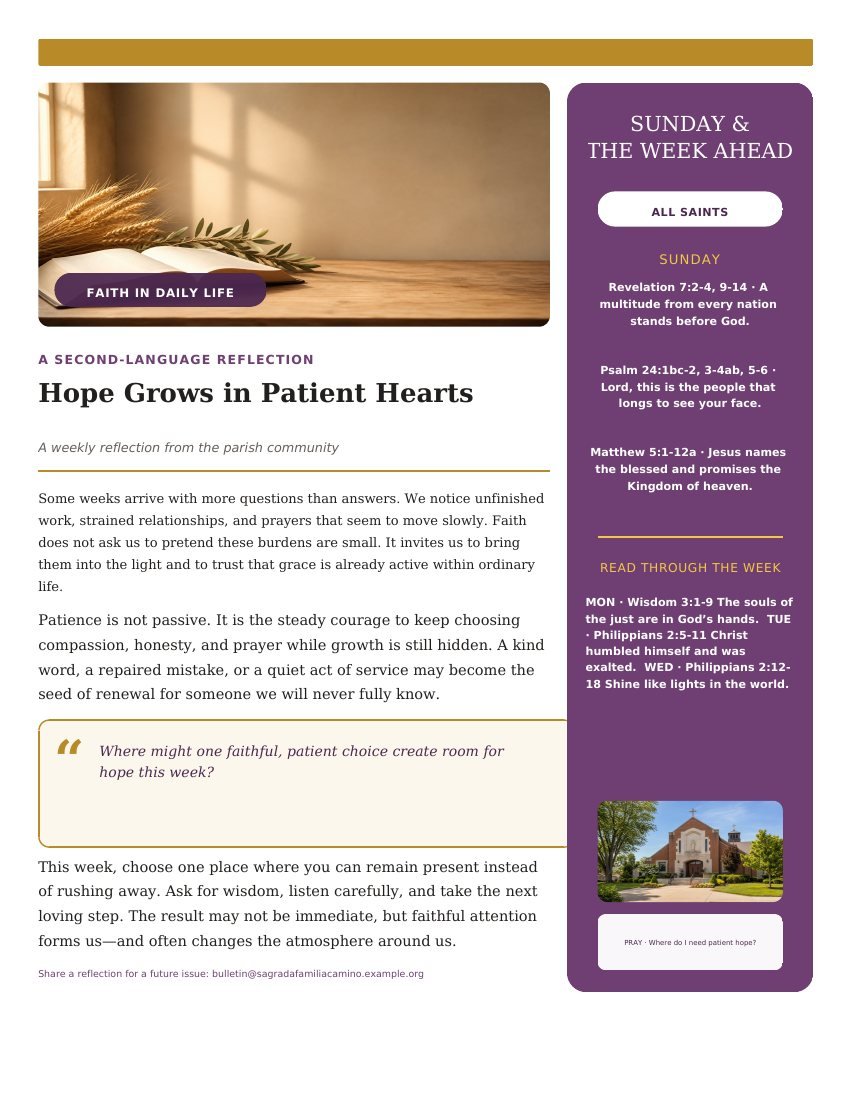 See a bilingual inside page →
The weekly path stays obvious
Choose the bulletin type, tradition, page format and church details. Use the closest starting structure, then add or rename anything your church needs.
Carry forward the design, church details and existing sections for review. Update what changed instead of rebuilding pages from a blank file.
Send the pastor, music director and ministry leaders a private link. Each person sees only their own section, and nobody needs to create an account.
Read what came in, run the four checks before printing, then produce a print-ready PDF and—if you want one—a phone version of the same bulletin.
A calmer weekly deadline
A previous issue becomes the starting point while every copied detail remains visible for review.
Bring the bulletin you already know
Import combines source-measured text positions with visual analysis, then places the generated PDF beside the original for approval. Nothing is applied until a church editor selects the pages and accepts that proof.
Contribution without confusion
Private links limit contributors to the material they were invited to supply.
Structured with respect
Choose a parish-news bulletin, worship guide or hybrid, then use a tradition profile as a starting point rather than a rigid rulebook.
One issue, more than one language
Create a language variant from reviewed bulletin content, compare it with the source and approve it deliberately before publication.
One reviewed source
The same structured content is adapted for office printing and comfortable phone reading.
Useful signals without surveillance
The workspace summarizes live-bulletin activity while deliberately avoiding raw reader IP addresses and cross-day tracking.
Meet Bulletin Maestro
Bulletin Maestro is a preview-first design partner for the current page or the whole bulletin, while the secretary keeps final control.
A safer final check
Preflight checks focus attention on practical publication problems while people retain final judgment.
Nothing important gets forced into the wrong box
A tradition profile is a starting point, not a locked template. Add a custom section, decide where it belongs and carry it forward by duplicating the issue when useful.
Heading
Name the section clearly
Body
Write, paste, dictate or ask AI for an editable draft
Optional media
Add an image, link and call to action when useful
Reuse
Keep it for one issue or carry it forward for review
Collaboration that respects people’s roles
Each private task opens directly to the assigned material. Contributors can save, return and submit; the organizer receives the work in a review queue and retains publication control.
Draft or revise the pastoral message and confirm the worship details assigned by the office.
Add hymn and song titles, service music, numbers, placement details and any notes the office needs.
Submit an announcement heading, body and optional action link for office review.
Review every submission, edit for space, decide what belongs in the issue and control publication.
Bulletin Maestro · review-first AI and voice
A person can speak rough thoughts, type a few notes or ask Bulletin Maestro to polish, fit, coordinate or translate the current page or the whole bulletin. Every design appears as a preview before it can be applied.
Protected facts
Critical information stays visible in fact fields. AI is instructed to preserve it, and a person verifies the suggestion.
Human approval
AI output is proposed copy. It does not become approved bulletin content automatically.
Editorial choice
Use AI for the sections that benefit from writing help and leave any other section exactly as the church supplied it.
Page design
Ask it to polish a page, use space better, unify a theme or translate eligible text. Compare Before and Suggested, apply it, keep yours or undo.
Confidentiality choice
Prayer lists, Mass intentions and other protected section types are blocked from AI processing.
The output fits the reader
Fold-aware pages for common US office-printer workflows.
Single- or multi-page portrait layouts with readable columns.
International paper sizing without manual page reconstruction.
A clearer edition for readers who benefit from larger type.
Responsive reading with tappable links and no pinch-to-zoom PDF.
A final pass built for church-office consequences
The preflight review checks required church facts, publishing channels, missing content, key dates, image descriptions and the selected output settings.
The tools follow the week you already have